For Twilio / carrier review
SMS opt-in disclosure
Effective April 29, 2026.
Program at a glance
- Brand
- Lloyd
- Legal entity
- Parry Technology and Media LLC (DBA Lloyd)
- Program type
- Conversational personal AI assistant
- Message types
- Account verification, magic-link login, assistant replies to user-initiated messages
- Message frequency
- Varies by user — replies are sent in response to messages the user initiates, plus occasional account notifications
- Cost
- Message and data rates may apply per the user's mobile carrier
What Lloyd sends
Lloyd is a personal AI assistant. After a user signs up and verifies their phone, all SMS to that number is one of:
- Verification codes during sign-up and when adding a new phone to an account.
- Assistant replies to messages the user sends Lloyd — questions, reminders, lists, follow-ups.
- Account notifications tied to the user's account, such as a confirmation when a new channel is added.
Lloyd does not send marketing or promotional messages. Lloyd does not share mobile information with third parties or affiliates for marketing purposes.
How a user opts in (step by step)
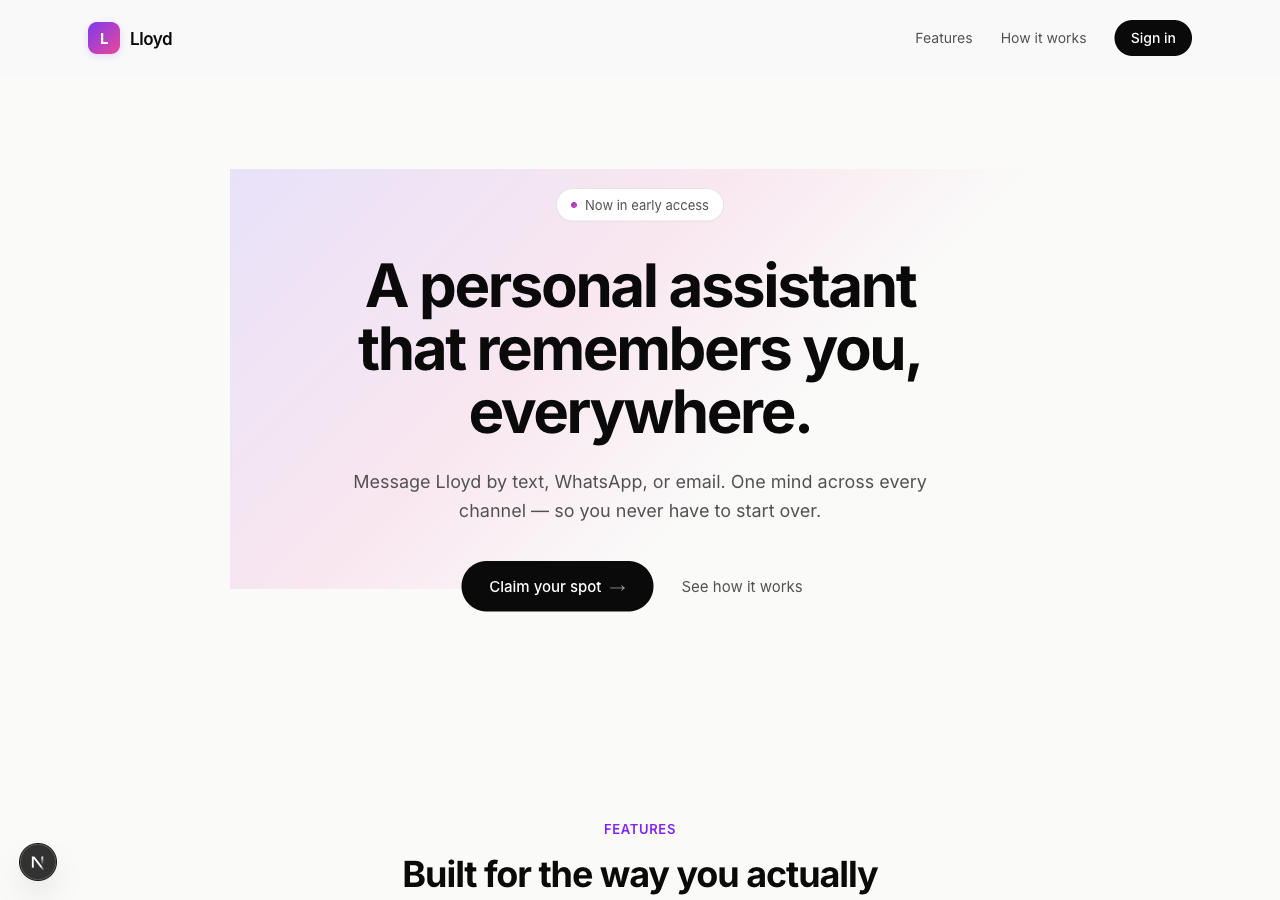
User visits the landing page or sign-up page
The user lands on lloyd.example or lloyd.example/signup. Both pages embed the same sign-up form.
User fills in name, email, and phone number
The form requests the user's name, email address, and mobile phone number. The phone number is normalized to E.164 server-side.
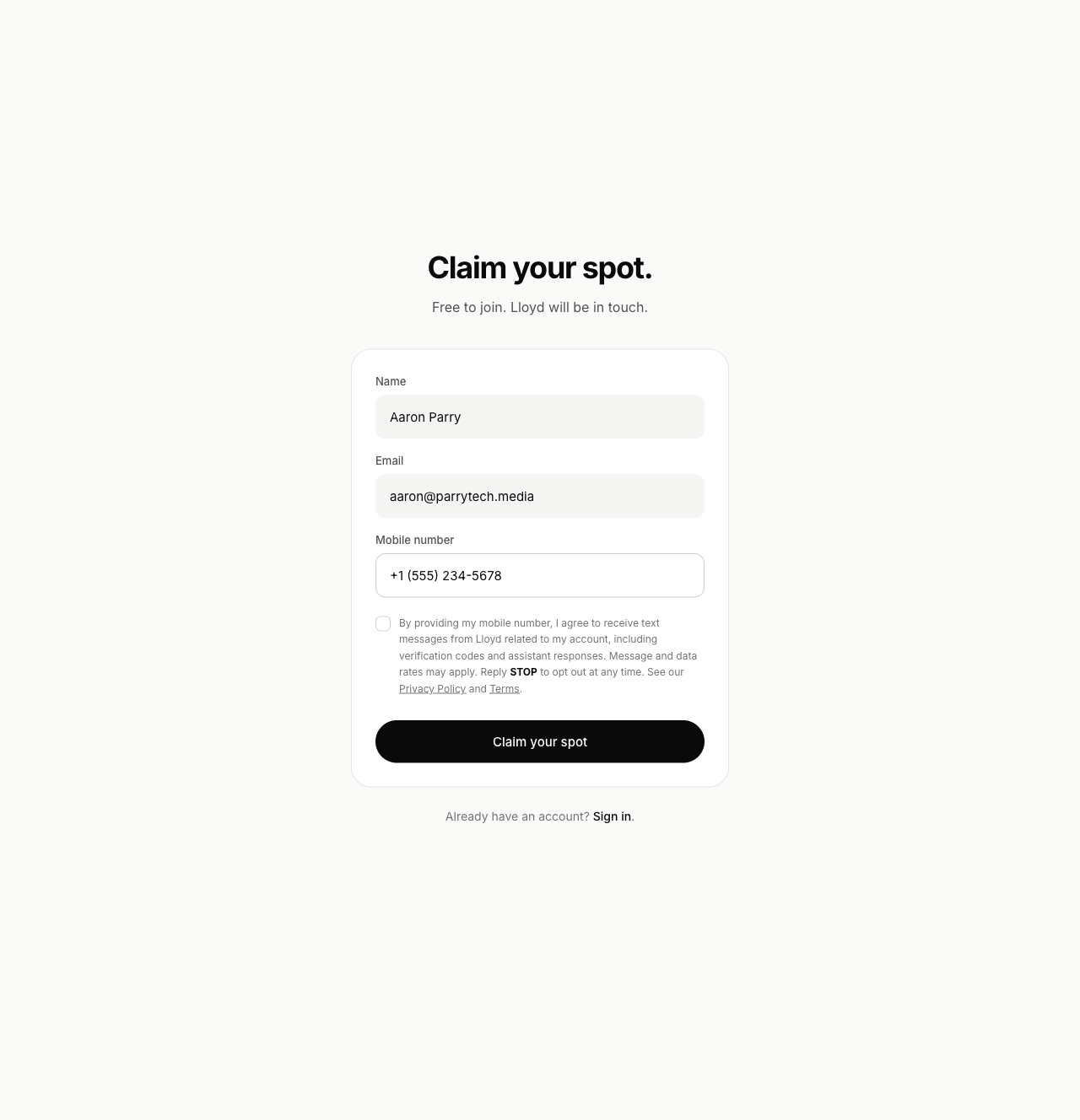
User checks the explicit consent checkbox
Below the phone field, the user must check a consent checkbox. The form cannot be submitted until the box is checked. The exact consent language is:
By checking this box you agree to receive SMS messages from Lloyd at the number provided, including verification codes and replies from the assistant. Message frequency varies. Message and data rates may apply. Reply STOP to unsubscribe or HELP for help. See our Privacy Policy and Terms of Service.
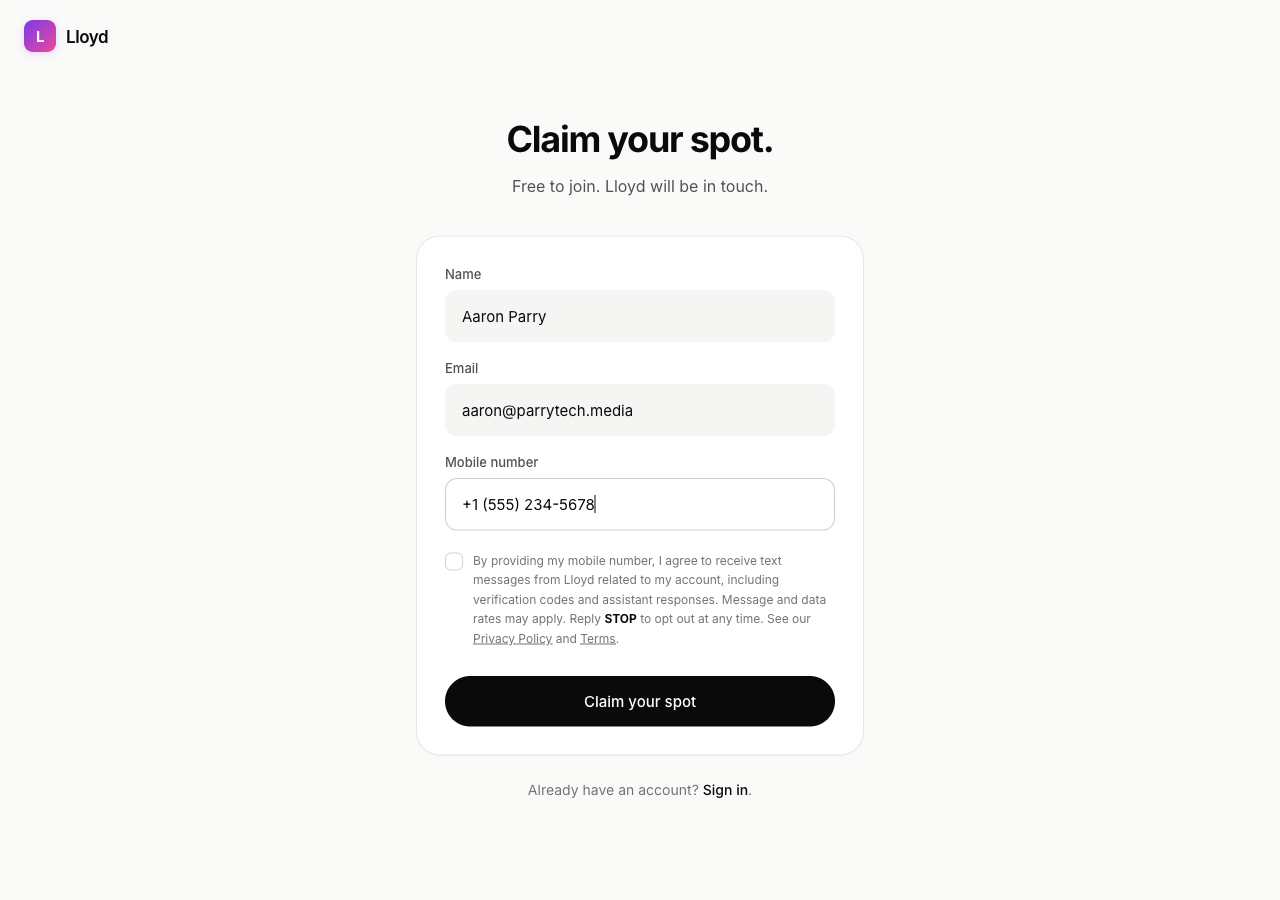
User submits the form
The server validates the input, captures the consent timestamp + IP + user agent, creates the account, and sends a magic-link email. The phone is recorded as an unverified channel — no SMS is sent yet.
User clicks the magic link and lands in the dashboard
After the user opens the magic link in their inbox, they arrive at the dashboard with the phone marked Unverified.

User triggers phone verification and enters the code
The user clicks Enter code, which initiates the SMS verification flow. A 6-digit code is sent to the phone. The user enters it to confirm ownership of the number.

Phone is verified — the user is fully opted in
Once verified, the phone is marked Verified and set as the primary phone. Only at this point will Lloyd send assistant replies to that number, and only in response to messages the user sends.

Sample messages
Examples of messages a user may receive:
- Lloyd: Your verification code is 482913. It expires in 10 minutes. Reply HELP for help, STOP to opt out.
- Lloyd: Got it — I'll remind you about the dentist tomorrow at 2pm.
- Lloyd: Added "buy plane tickets" to your list. Anything else?
- Lloyd: Here's a quick recap of your week — 3 reminders, 2 open tasks. Want details?
STOP — opt out at any time
Users may opt out at any time by replying STOP (or STOPALL, UNSUBSCRIBE, CANCEL, END, QUIT) to any message from Lloyd. Opt-out is processed by Twilio and Lloyd, and confirmed with a single message:
After a STOP, no further messages of any kind are sent to that number until the user replies START or re-verifies the phone from their dashboard.
HELP — get help any time
Users may reply HELP (or INFO) for help. They will receive:
Privacy and terms
Detailed information about how we collect, use, store, and share data — including SMS-specific provisions — is in our Privacy Policy and Terms of Service.
Contact
Questions about Lloyd's SMS program? Email hello@lloyd.example.